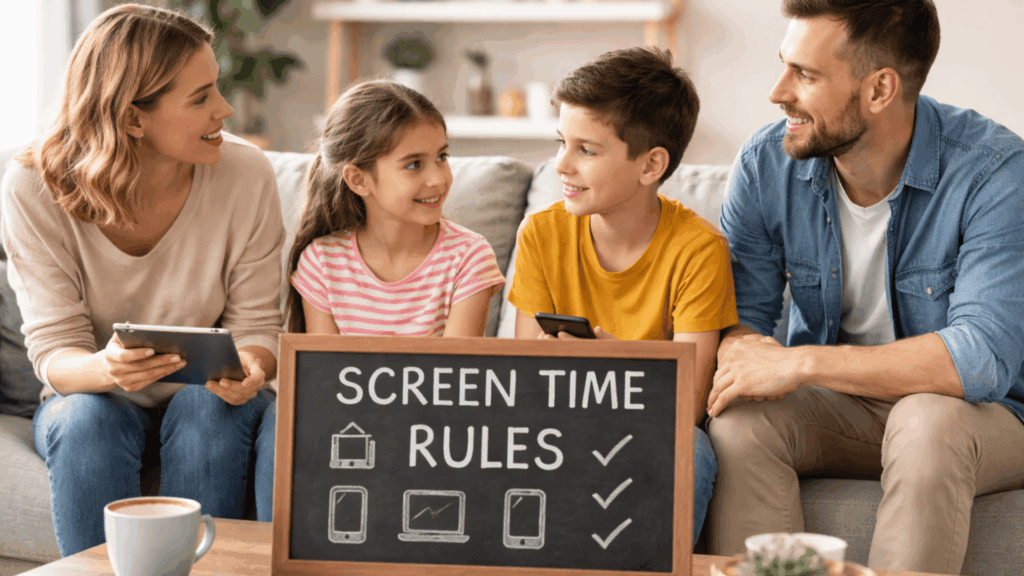
It’s 6 PM. Your kid begs for more iPad time. You said no screens after dinner. Remember?
But you’re tired. Work was chaos. Dinner dishes are piled up. And five more minutes won’t hurt, right?
Here’s what nobody tells you: 86% of parents create screen time rules for kids. Only 19% follow them consistently.
The problem isn’t your rules. It’s the guilt, the exhaustion, and the fact that enforcing them feels impossible.
This guide changes that. You’ll learn what screens actually do to developing brains, why strict limits often backfire, and the five strategies that work when you’re too tired for perfect parenting.
Real solutions for real life. No shame.
The Science Behind Screen Time: What It Does to Kids’ Brains
Before you create rules, understand what’s happening inside your child’s head.
Cognitive Effects: The Attention Span Myth
Does screen time destroy attention spans? Not exactly.
Passive content trains the brain to expect constant stimulation. Quick cuts. Bright colors. Instant gratification. When real life moves more slowly, kids struggle to focus.
Interactive content works differently. Educational apps that require problem-solving can actually improve executive function when used with parental involvement.
The difference? Active thinking vs. mindless consumption.
Sleep Disruption: Why Bedtime Rules Matter Most
Screens emit blue light. Your child’s brain thinks it’s daytime. Melatonin production stops.
Result? They’re wide awake at 9 PM. Even after you take the tablet away, the chemistry is already disrupted. Research shows screens off one hour before bed works best. Not 30 minutes. One full hour.
Long-Term Brain Changes: What We Actually Know
Most research shows correlation, not causation. Kids with excessive screen time also exercise less and sleep less. Which came first?
What’s clear: excessive, unsupervised screen time links to reduced social skills, lower vocabulary in young children, and less physical activity.
Research from the University of Washington found that infants who follow their parents’ gaze identify 337 words by 18 months. Screen-distracted infants? Only 197 words.
Moderate screen use with parental involvement? Minimal negative effects.
Why Content Quality Beats Time Limits?
Reading on a tablet is screen time. Watching three hours of unboxing videos is also screen time. Same device. Completely different brain impact.
The American Academy of Pediatrics now focuses on content quality and context over strict time limits. Educational apps that require thinking support development. Autoplay videos that require nothing create dependency.
It’s not just about minutes. It’s about what happens during those minutes.
Understanding the science helps. But it doesn’t tell you how to enforce rules when you’re exhausted, or why the two-hour limit you set keeps failing by Tuesday.
Purpose-Based Screen Time Guidelines

The two-hour limit sounds simple. But what counts? Homework? FaceTime with grandma? TikTok?
Content Over Quantity: Not All Hours Are Equal
An hour creating digital art isn’t the same as an hour watching toy unboxing videos.
Learning apps require active thinking. Coding platforms. Language lessons. Digital art tools. Your child’s brain is working.
Entertainment matters too. Movie night. Video games after homework. Kids need downtime.
Social screens build relationships. Video calls with relatives. Gaming with real-world friends. These hours count differently from mindless scrolling.
Setting Purpose-Driven Goals
Instead of “30 minutes of screen time,” set clear goals:
- Finish your coding lesson
- Call grandma
- Learn five words in the language app
- Create a digital drawing
- Watch a documentary together
Your child completes something instead of watching the clock. Sometimes the purpose is rest. That’s fine too.
Purpose matters. But kids also need to understand what they’re looking at when they scroll. That’s digital literacy.
Digital Literacy: Teaching Kids to Navigate Screens Thoughtfully
Your child can operate a tablet better than you can. But can they spot when an app is manipulating them?
Critical Thinking Skills: Spotting Digital Tricks
Apps are designed to keep kids hooked. Autoplay. Notifications. Rewards at just the right moment.
Teach them to ask:
- Why did that notification just appear?
- How does this app make money?
- Why does the game want me back tomorrow?
Most kids assume apps exist to help them. The truth? Apps exist to capture attention.
Important Tip: Show them sponsored content. Influencers sell products without saying they’re selling. Even “free” apps collect data.
Building Awareness: The Scroll Test
After 20 minutes on an app, ask: “What did you just watch?”
Can’t remember? That’s mindless scrolling.
Help them notice the difference between engaged and zoned out. Kids often don’t realize they’re bored. Their thumb keeps swiping, but nothing’s actually happening.
Why This Matters More Than Rules?
Rules create external control. Digital literacy builds internal control.
You won’t always be there. Your child will get older, have their own devices, and have more freedom. Digital literacy prepares them for that reality.
Questions That Work:
- “Did you enjoy that, or were you just… scrolling?”
- “What’s your favorite thing you learned today?”
- “How do you feel after an hour on that app?”
Don’t lecture. Have conversations.
Pro Tip: Talk about your own struggles. "I got sucked into scrolling for 30 minutes. Didn't even realize it." When kids see you being honest about screen habits, they'll be honest about theirs.
Give Them the Tools
Show them how to:
- Turn off notifications
- Delete time-wasting apps
- Set their own limits using built-in tools
The goal? They manage screens without you standing over their shoulder.
Digital literacy helps in the long term. But right now, you need to know what research actually says about screen time beyond scary headlines.
What the Studies Really Show About Screen Time?
Headlines scream about screen time destroying childhood. The actual research? More complicated.
Studies show kids with high screen time have more behavioral problems. But these studies can’t prove screens caused the problems. Maybe kids with existing issues gravitate toward screens. Maybe stressed families use screens as coping tools.
Correlation isn’t causation.
A shy child might benefit from online friendships. An anxious child might find social media overwhelming. Age, temperament, and family structure all change the equation.
Important Tip: A 2024 meta-analysis found no evidence linking social media time to adolescent mental health problems when other factors were controlled.
Moderate screen use can have cognitive benefits. Video games improve spatial reasoning. Educational apps boost math and reading. Kids maintain long-distance friendships through messaging.
The American Academy of Pediatrics moved away from strict time limits. They now focus on quality and balance.
What Actually Matters:
Watch for red flags: screens interfering with sleep, choosing screens over all activities, behavioral changes after certain apps, and secretive device behavior.
If screens aren’t causing problems, they’re probably fine.
Research provides guidelines, not gospel. Every family's situation is different. That's why one-size-fits-all rules rarely work.
Screen Time Rules That Adapt to Every Family

The perfect screen time rule doesn’t exist. What works for a two-parent household with a backyard won’t work for a single parent in a small apartment.
Your family needs rules that fit your reality.
Why One-Size-Fits-All Fails?
Pinterest-perfect parenting advice assumes everyone has the same resources. Same schedule. Same support system. Same stress level.
They don’t.
A parent working from home needs their child occupied sometimes. A family with three kids sharing one device faces different challenges than a family with one child and multiple tablets. Limited outdoor space changes how kids spend free time.
Consider Your Reality:
- Single parent juggling work? Screen time might happen more than you’d like
- Multiple children? Fair device-sharing rules matter more than total hours
- No backyard or nearby parks? Screens fill entertainment gaps
- Tight budget? Free YouTube videos beat expensive activities
None of this makes you a bad parent. It makes you realistic.
Customizing Limits That Actually Work
Start with your child’s age and needs. A 6-year-old needs tighter boundaries than a 14-year-old. An only child has different social needs than a child with siblings.
Questions to Ask:
- Does my child get enough physical activity? If yes, screens aren’t the problem.
- Are they sleeping well? If no, evening screen time needs adjustment.
- Do they resist when screen time ends? Might need clearer boundaries.
- Are grades suffering? School night rules may need tightening.
Base rules on outcomes, not arbitrary numbers.
Pro Tip: Weekend rules can differ from weekday rules. Friday movie night that runs late? Fine. Same thing on a school night? Problems.
Making Flexibility Work
Rigid rules break under real-life pressure. Sick kid home from school? Normal rules don’t apply. Long car trip? Extra screen time keeps everyone sane. Homework requiring research? That screen time doesn’t count the same as gaming.
Build flexibility into your system:
- Sick Day Exception: Double the usual screen time without guilt.
- Travel Pass: Road trips and flights get their own rules.
- Homework Clause: Educational screen use doesn’t count toward entertainment limits.
- Special Occasions: Birthday parties, holidays, and sleepovers operate differently.
The key? Make exceptions deliberate, not constant. Your child should know "today is different because..." not "rules don't matter."
Adjust as kids grow. A rule that worked at age 8 might not fit at age 12. Check in every few months. “Is this still working? Do we need changes?”
Your family changes. Your rules should too.
Flexible rules work better than perfect rules. But rules alone aren’t enough. Kids need goals that make screen time meaningful.
Turning Screen Time into an Opportunity
Stop focusing on what kids shouldn’t do. Start focusing on what they can create.
Screens can teach real skills. Coding. Video editing. Music production. Digital art. Foreign languages. Kids build portfolios. Create YouTube channels. Design games. Learn graphic design.
Real Examples:
- 10-year-old learns Python through coding games
- 13-year-old starts animation channel
- 8-year-old practices Spanish with apps
- A 15-year-old teaches themselves guitar
Screens strengthen relationships, too. Create digital scrapbooks with grandparents. Build Minecraft worlds together. Start family documentary projects.
Track Goals, Not Time: “Finish three coding lessons this week” beats “two hours on Tuesday.”
Sample Weekly Goals:
- Complete two art projects
- Learn 20 vocabulary words
- Watch one documentary with a parent discussion
- Create a video to share with family
Goals give direction. Time limits just create countdown timers.
Screen time doesn’t have to be the enemy. With the right approach, it becomes a tool for growth.
Conclusion
Screen time rules for kids aren’t about winning a battle. They’re about teaching children to live in a digital world without being controlled by it.
You don’t need perfect rules. You need rules that fit your family, adjust as kids grow, and focus on quality over clock-watching.
Start small. Pick one change from this guide. Maybe it’s purpose-driven goals instead of time limits. Maybe it’s having honest conversations about app design. Maybe it’s creating screen-free zones during meals.
The goal isn’t zero screens. It’s intentional screens. Connection, creativity, and well-being can all happen through devices when you’re thoughtful about how.
Your kids are growing up digital. Help them do it well.